
Flora Review: 2026 Overview
The verdict
3.4/ 5 Grow a plant while you focus — and bet real money you won't quit early.
Flora is Forest's bolder cousin: same grow-a-plant focus loop, plus social challenges and the option to wager real money that you'll finish. The stakes are a genuinely effective deterrent for some people. It's iPhone-only and stays a single-trick focus app, so use it to protect a sprint, not to organise your work.
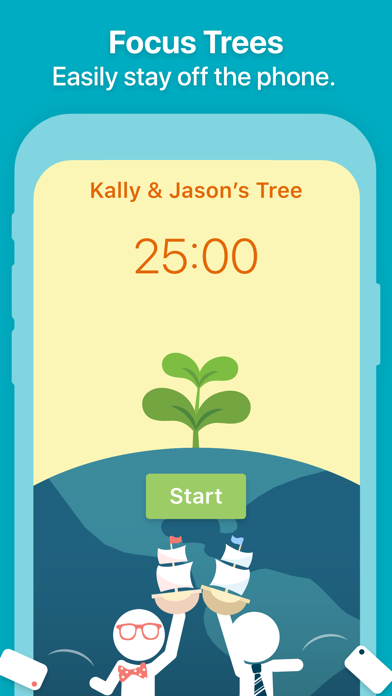
Flora takes the grow-a-plant idea you already know from Forest and gives it sharper edges. You set a timer, a seedling starts growing, and if you leave the app before the time is up the plant dies. That much is familiar. What sets Flora apart is the optional money stake: you can wager a small amount that you will see the session through, and if you fail, the cash is gone. For a certain kind of procrastinator, that small jolt of loss aversion does what a withering cartoon plant never could.
We rank Flora 20th on our scorecard with an overall of 3.4 out of 5. It is a polished, likeable focus toy that does one thing well and charges very little for it. The catch is that it is iPhone-and-Apple-Watch only, and it never tries to be more than a session timer with stakes attached. There is no planner, no task list, no habit tracker, and no coaching to address why you keep stalling in the first place. If you want a quick deterrent for the next ninety minutes, Flora delivers. If you want a system, look elsewhere.
What Flora actually is
Flora is a gamified focus timer built around a single loop. You pick how long you want to concentrate, plant a virtual seed, and the seed grows into a tree over the course of the session. Stay in the app and the tree survives; switch away to scroll something else and it dies. It is the same behavioural trick Forest popularised, dressed up with a cleaner interface and a few more hooks.
The category we filed it under is gamified focus plus stakes, and the stakes part is the real differentiator. Flora lets you attach actual money to a session through a feature it calls Price. Commit a few dollars, fail to focus, and the money is forfeited. Done with a group, the structure becomes a shared bet, which is where some of Flora's most loyal users say it earns its keep.
On our two original indices, Flora scores 3 out of 5 for blocking strength and a full 5 for time-to-focus. The high focus speed is the point: you open it, set a number, tap once, and you are working. There is almost nothing to configure, which is both the appeal and the ceiling.
The money stakes, in plain terms
Most focus apps rely on guilt or a tiny dopamine reward to keep you honest. Flora adds loss aversion, which the behavioural literature treats as a stronger motivator than reward for many people. Putting two or five dollars on the line changes the calculus of a wandering thumb. The deterrent is real, and for procrastinators who have learned to ignore softer nudges, it can be the thing that finally lands.
It is worth being clear-eyed about who this suits. Wagering money to make yourself work is a commitment device, and commitment devices are not for everyone. Some people find the pressure productive; others find it stressful or faintly absurd. If money anxiety is part of why you avoid hard tasks in the first place, betting on your own focus may add friction rather than remove it. Flora keeps the feature opt-in for good reason, and you can use the app indefinitely without ever touching it.
If you do opt in, remember that the stakes involve payment data. That is a different privacy footprint from a timer that only counts minutes, so it is worth reading how Flora handles that information before you wager anything.
Blocking and accountability
Flora does include light blocking. You can set it to discourage you from leaving for distracting apps during a session, and the dead-plant penalty gives that boundary some weight. It is not in the same league as the dedicated blockers. Freedom, Cold Turkey and Opal stop you reaching a distraction far more forcefully, which is why we score Flora a middling 3 for blocking strength rather than something higher.
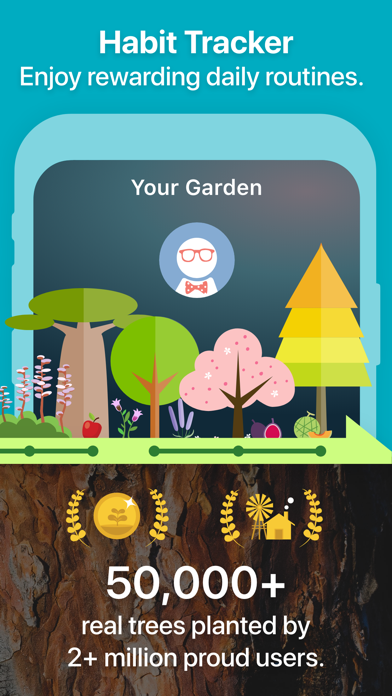
Where Flora pulls ahead of the average timer is accountability. The group focus feature lets you and a few friends plant trees together in the same session, so quitting early means letting the group down as well as killing your own tree. Pair that with a money stake and you have social pressure plus financial pressure in one place, which is an unusually strong combination for an app this small.
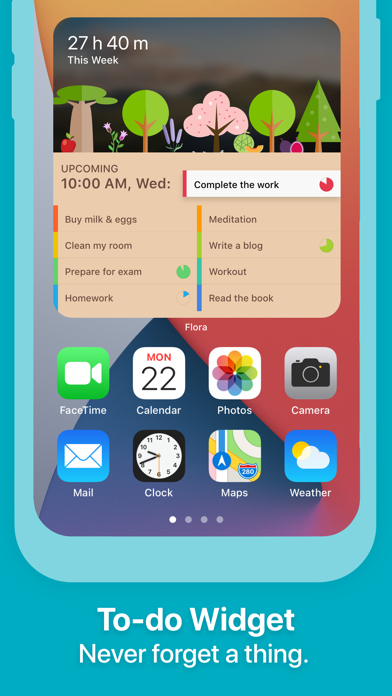
Flora also tracks your sessions and surfaces basic insights, with the more detailed statistics sitting behind the Pro tier. That is enough to see whether you are putting in the hours, though it is reporting, not planning.
What Flora leaves out
The honest limitation is scope. Flora is a focus session and nothing more. There is no task manager, no calendar scheduling, no project planner and no habit tracker. You cannot build out your week inside it or break a big job into steps. It assumes you already know what you should be doing and only need help sitting still long enough to do it.
It also has no focus soundscapes of its own, no guided content, and no coaching. If your problem is that you do not understand why you keep avoiding a task, Flora has nothing to say about that. It treats the symptom, the wandering attention, and leaves the cause untouched. For a lot of people that is fine, because the cause is simply a noisy phone. For others it is the missing piece.
And then there is the platform wall. Flora runs on iPhone and Apple Watch only. No Android, no desktop, no web. If you work across devices or live outside Apple's world, that alone may decide the matter.
Pricing and what you get
Flora is generous at the base level. The core grow-a-plant focus loop costs nothing to use, which makes it one of the easier apps to try without paying. The Pro tier runs from roughly $1.99 a month, or a yearly rate, and unlocks detailed statistics along with a few extra features. The money stakes are separate and entirely opt-in; you decide whether to wager and how much.
There is no separate trial as such, because the no-cost tier acts as one. You can live in it for as long as you like, get a feel for whether the dead-plant penalty motivates you, and only move to Pro if you want the deeper stats. Billing runs through your app-store subscription, so cancelling is the standard app-store process rather than anything Flora controls directly.
At this price, Flora is hard to fault on value. You are paying pocket change for a competent focus timer, and the optional stakes cost only what you choose to risk. Just price it for what it is, a single-purpose tool, not a productivity suite.
How it compares to Liven, our top pick
This is where the difference in ambition shows. Liven sits at number one on our scorecard because it works on why you procrastinate rather than only timing the symptom. It pairs a guided plan with short psychology courses, a habit builder, focus soundscapes and an AI coach called Livie, all aimed at the avoidance, perfectionism and weak habits underneath the stalling. Flora, by contrast, hands you a timer and a stake and trusts you to sort out the rest.
Be fair to both, though. Liven is the broader programme, but it is not the faster deterrent. It has no website or app blocker and no Pomodoro timer, so if your single need is to bet money you will not quit a sprint, Flora does that and Liven does not. Flora also wins outright on time-to-focus, where its one-tap simplicity scores a perfect 5 against Liven's more deliberate, plan-led approach.
The practical read: choose Flora when the task is clear and you just need to stay seated, ideally with cash or friends on the line. Choose Liven when the real problem is that you keep avoiding the work and want something that addresses the habit, not just the hour. Plenty of people end up using a focused timer for the sprint and a deeper tool for the underlying pattern.
Who should use it
Flora is a strong fit for people who respond to real consequences. If softer apps have failed you and the thought of losing actual money keeps you on task, the Price feature is reason enough to try it. It also suits Forest fans who want the same pleasant ritual with more accountability, and small groups who like turning focus into a shared challenge.
It is a poor fit if you need a place to organise your work, if you split your day across non-Apple devices, or if the money mechanic feels more like pressure than motivation. None of those are flaws in Flora so much as signs you want a different category of tool.
One gentle caveat. If your procrastination is constant and exhausting rather than occasional, that can sometimes point to attention or anxiety difficulties that no app is built to resolve. Flora is a focus aid, not treatment, and there is no shame in raising persistent avoidance with a professional alongside whatever app you choose.
The verdict in context
Flora earns its 3.4 by being exactly what it claims to be and doing it with charm. The stakes mechanic is a genuinely effective deterrent for the right person, the group feature adds real social weight, and the price asks almost nothing of you. As a way to protect a single block of deep work, it is one of the better small tools we tested.
What keeps it out of the upper rankings is the lack of reach. One platform, one trick, no system underneath. That is a deliberate design choice and not a failure, but it caps how far Flora can take you. Use it to guard a sprint, not to run your week, and pair it with something deeper if the avoidance keeps coming back.
Maker: AppFinca Inc. · Platforms: iOS, Apple Watch · Approach: Self-guided, gamified + stakes · Methods: gamification, commitment devices
Flora plans & pricing
Free tier: No-cost to use, with an optional Pro and the opt-in 'Price' stakes.
Trial: The no-cost tier acts as the trial.
Prices approximate, as of June 2026 — verify on the App Store / Google Play / the app's site. Detailed stats and some features sit in Pro; the money stakes are opt-in.
Cancellation: Cancel via your app-store subscription; you choose whether to wager.
Feature checklist
- Focus / Pomodoro timerYes
- Website blockingSoft
- App blockingSoft
- Scheduled focus / lock modes—
- Tasks & to-do lists—
- Day / calendar planner—
- Habit & routine builder—
- Focus sounds / music—
- Gamification / rewardsYes
- Accountability / coworkingFriends & stakes
- Time tracking & reportsFocus history
- Reminders & nudgesYes
- Guided plan / courses—
- AI coach / chat—
- Progress insightsYes
- Cross-device synciOS
Flora pros & cons
What's good
- Optional money stakes add real teeth to a focus session
- Plant trees together with friends
- No cost at its core
What to weigh up
- Apple-only; the money feature won't suit everyone
- A focus toy, not a system — no planning or blocking depth
Support
Email and help docs.
Method & credibility
Gamification plus commitment devices, which have real behavioural support; a nudge, not treatment.
Privacy & data
If you use stakes, payment data is involved; review the policy.
Third-party ratings
- 4.7 / 5 on App Store — as of June 2026, verify
We report independent ratings with their source and date and never invent them. Figures here are approximate and pending verification before launch.
Our data: Flora
Two numbers we measure ourselves, on the same 1–5 scale for every app — the things most roundups never score (see all 20 on the compare page):
Flora FAQ
Is Flora no-cost to use?
Yes, the core focus timer costs nothing. A Pro tier from around $1.99 a month adds detailed statistics and a few extra features, and the money stakes are a separate opt-in where you choose whether and how much to wager. You can use the app indefinitely without paying or betting anything.
Does Flora really take your money if you fail to focus?
Only if you choose to. Flora's Price feature lets you stake real money on completing a session, and if you leave early before the timer ends, that money is forfeited. It is entirely optional. You can run every session with nothing more than the dead-plant penalty if you prefer to keep cash out of it.
Is Flora available on Android?
No. Flora runs on iPhone and Apple Watch only, with no Android, desktop or web version. If you need to focus across non-Apple devices, a cross-platform option such as our top pick Liven, or a dedicated blocker, will fit your setup better.